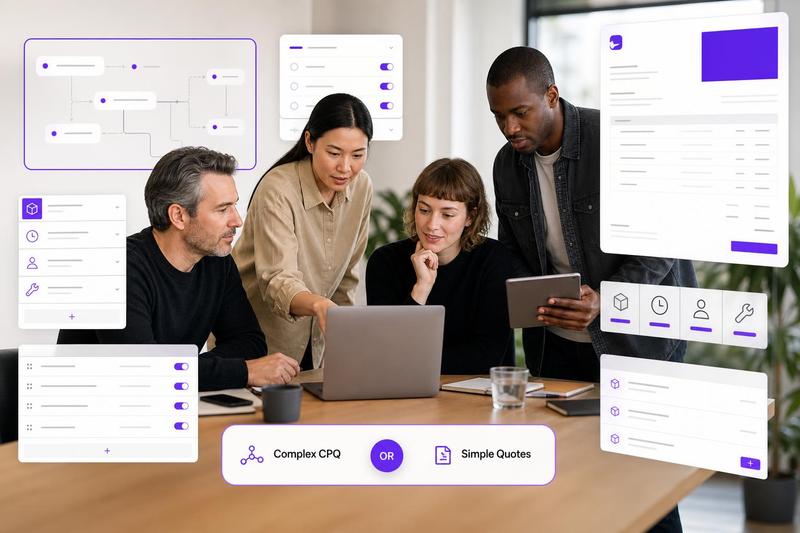
PandaDoc is a serious document platform. If your sales process depends on polished proposals, e-signatures, content libraries, CRM-connected workflows, and approval controls, it may be exactly the kind of tool your team needs. But many small service businesses are not trying to run a complex sales document operation. They just need to create a clean quote, protect the scope, show the price clearly, send a branded PDF, and move on to the work.
That is where a focused quoting tool can be a better PandaDoc alternative. Not because it does more, but because it does less of the stuff you do not need. If your quote workflow is currently a copied document, a spreadsheet, or a proposal tool that feels oversized, this guide will help you decide whether to stay with a full proposal suite or use a simpler quoting workflow instead.
First: what PandaDoc is built for
PandaDoc is strongest when the document itself is part of a broader sales process. According to the PandaDoc pricing page, the platform offers plans for e-signing, document creation, templates, and more advanced sales document workflows. The PandaDoc plan comparison also shows that features vary by tier, which matters if your team needs CRM integrations, workflow controls, or more advanced document features.
That can make sense for sales teams that send multi-page proposals, need legal-style signing workflows, manage sales content across reps, or want one document system for proposals, contracts, forms, and quotes. In that context, PandaDoc is not just a quoting tool. It is a broader document platform.
When PandaDoc is probably the right fit
Choose a full proposal platform when the proposal is doing heavy selling before the client approves the work. For example, a larger agency might need case studies, team bios, embedded media, package options, a proposal approval workflow, and CRM tracking before a deal moves forward.
- You need proposal pages, not just quote pages. Your documents include strategy, background, deliverables, proof, and sales narrative.
- You rely on e-signature workflows. Signing, tracking, and document status are central to your process.
- Your CRM is the source of truth. Sales reps need documents connected to pipeline stages, contacts, and deal records.
- You manage documents across a larger team. Approval workflows, content governance, and document consistency matter.
- You send many document types. Quotes are only one part of a wider proposal, contract, and form workflow.
If those points sound familiar, a full platform may be worth the setup and cost. The mistake is buying that whole workflow when your actual problem is much simpler: you need to quote faster and stop losing margin in messy documents.
When focused quoting software is enough
For many service businesses, the quote is not a 12-page sales deck. It is a practical document that says what is included, what it costs, how payment works, and how the client can approve. In that case, the best alternative is not another heavyweight proposal system. It is a tool designed specifically around quoting.
Focused quote software is usually enough when you need:
- Reusable products, services, and packages
- Fast quote creation from saved templates
- Clear line items with quantities, prices, and totals
- Internal costs that help you protect margin without showing every cost to the client
- Branded PDF exports that look professional
- Payment schedules, deposits, and quote conditions
- A mobile-friendly workflow for quoting from a client meeting, job site, or studio
- Predictable pricing that does not scale awkwardly with every user
If you are still deciding between tool categories, read our guide to quote software vs proposal software vs CRM. It explains why small teams often overbuy software when they only need one focused workflow.
Simple comparison: PandaDoc-style platform vs focused quoting tool
Document complexity
A proposal platform is best when the document needs to persuade, educate, and close. A focused quoting tool is best when the client already understands the work and needs a clear price, scope, and approval path.
Setup effort
Full proposal tools often require more upfront structure: templates, roles, approval paths, CRM connections, and content libraries. A quote tool should let you create a reusable service library, build a quote, export a PDF, and keep improving your templates over time.
Pricing workflow
Proposal software can support pricing tables, but pricing is usually one feature among many. In ququ, quoting is the center of the product: reusable products, hidden internal costs, automatic cost redistribution, quote templates, and branded PDFs are built around the way small teams price real service work.
Cost model
Per-seat pricing can be fine for a sales team with dedicated reps, but it can feel heavy for a small studio, contractor, or consultancy where several people occasionally need to create or adjust a quote. Ququ keeps the decision simple with a free start and a flat $5/month unlimited plan, so you are not forced into a broad proposal suite just to send professional quotes.
Example scenarios
Small agency quoting a website project
A web studio may need a discovery phase, design, development, launch support, and optional maintenance. If the client already knows the agency, a clean quote with phases, optional extras, payment milestones, and acceptance wording may be enough. A full proposal platform is useful if the agency also needs a persuasive pitch document with case studies and a long strategic narrative.
Consultant quoting a fixed-scope engagement
A consultant selling a clear diagnostic, workshop, or implementation sprint usually needs scope, outcomes, fee, timeline, assumptions, and payment terms. A focused quoting tool keeps that repeatable. The consultant can reuse packages and avoid rebuilding the same document from scratch.
Contractor quoting after a site visit
A contractor often needs speed and clarity: labor, materials, exclusions, start assumptions, deposit, and validity date. Mobile-friendly quoting and reusable line items can matter more than proposal design features. The quote should be professional, but it should not take an hour to prepare.
Freelancer sending repeat service packages
A designer, developer, copywriter, photographer, or marketer may quote similar packages repeatedly. Saved products and quote templates reduce mistakes. If the freelancer is still copying old spreadsheets, this is often the point where Excel quote templates start costing time.
Decision checklist: do you need PandaDoc or a simpler alternative?
Use this checklist before choosing. If most answers fall on the left, consider a proposal platform. If most fall on the right, focused quote software may be enough.
- You need long-form sales proposals: choose a proposal platform. You need fast client-ready pricing: choose focused quoting software.
- You need CRM-connected sales documents: choose a proposal platform. You manage quotes directly with clients: choose focused quoting software.
- You need e-signature-heavy document workflows: choose a proposal platform. You mainly need approval-ready PDFs: choose focused quoting software.
- You have a sales team using shared content libraries: choose a proposal platform. You have a small team reusing service items and packages: choose focused quoting software.
- You send many document types: choose a proposal platform. You mostly send quotes and estimates: choose focused quoting software.
- You can justify per-seat platform pricing: choose a proposal platform. You want predictable low-cost quoting: choose focused quoting software.
What to look for in a PandaDoc alternative for quotes
If your goal is better quoting rather than broader document automation, do not compare tools only by feature count. More features can mean more setup, more fields, more training, and more ways for a small team to avoid using the tool consistently.
Look for the features that directly improve quote quality and speed:
- Reusable product and service library: so you are not rewriting the same items every week.
- Quote templates: so each job starts from a proven structure.
- Hidden internal costs: so you can protect margin without exposing every cost detail to the client.
- Automatic cost redistribution: so internal costs can be reflected cleanly in client-facing prices.
- Branded PDF export: so the quote looks professional even when created quickly.
- Payment schedule support: so deposits, milestones, and balances are clear before work starts.
- Simple mobile editing: so quotes can be started or adjusted while details are still fresh.
The practical answer
If your team sells through complex proposals, PandaDoc may be the right tool. If your team mainly needs to create simple, polished, accurate quotes, it may be more software than the job requires.
For agencies, consultants, contractors, freelancers, and studios that want reusable quote templates, cleaner line items, margin-aware pricing, branded PDFs, and flat pricing, ququ is built around the quoting job itself. Start with the workflow you actually need: create a quote, protect your margin, send it clearly, and make it easy for the client to say yes.