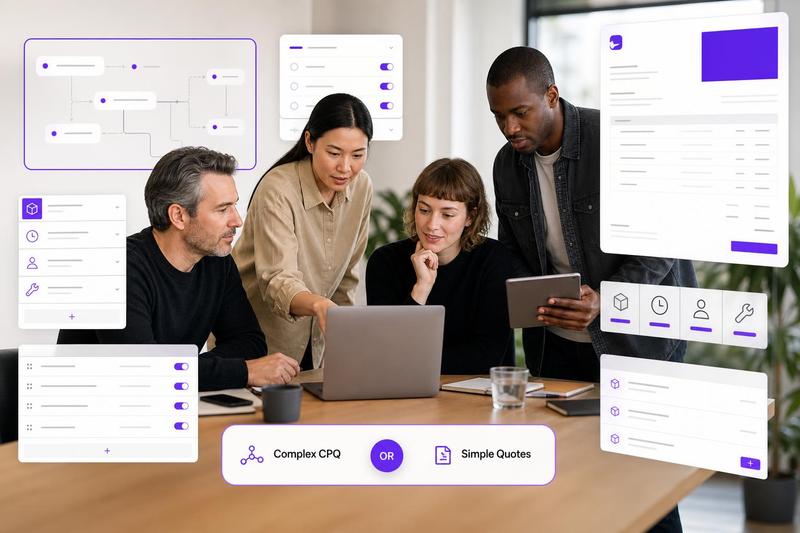
If you are comparing Better Proposals with simpler quote tools, start with the real question: do you need a full proposal workflow, or do you mostly need to send clean, accurate client quotes faster? Better Proposals can be a good fit when you want polished proposal documents, signatures, analytics, content libraries, and broader sales-document features. But many small agencies, consultants, designers, developers, and contractors do not need a proposal suite every time they price a job. They need a reusable quote structure, clear line items, protected margins, and a professional PDF the client can understand.
This is where a focused quoting tool can be the better alternative. A quote is usually about confirming price, scope, payment terms, and approval boundaries. A proposal is often about persuading, storytelling, methodology, case studies, and stakeholder buy-in. If you are still deciding which document fits your sales process, this guide on proposal vs quote explains the difference in more detail.
When Better Proposals makes sense
Better Proposals is proposal software first. Its own pricing page presents plan-based proposal features such as templates, e-signatures, payment options, integrations, analytics, and other sales-document tools. That can be valuable if your work requires longer persuasive documents, multiple decision-makers, formal sales tracking, or a repeatable pitch process.
It can also suit teams that regularly send detailed marketing proposals, retainers with several service narratives, or enterprise-style documents where presentation is part of the sale. Better Proposals also publishes comparisons and guides around proposal management software, which shows how broad these platforms can become: document creation, CRM-style workflows, approval controls, integrations, and performance tracking.
When a focused quote tool is enough
A full proposal suite may be more than you need if clients already know what they want, your scope is relatively clear, and the main job is pricing the work accurately. For many service businesses, the bottleneck is not writing a persuasive proposal. It is rebuilding the same quote from an old document, forgetting a cost, underpricing a line item, or sending a PDF that looks less professional than the work behind it.
A simpler quote tool is usually enough when:
- You quote similar services repeatedly, such as audits, design packages, repairs, discovery phases, build phases, support retainers, or installation work.
- You need reusable products, service templates, and common line items more than long-form proposal pages.
- You want to hide internal costs or margin calculations while still showing the client a clean total.
- You mostly send quotes to small-business clients who want clarity, not a 20-page pitch deck.
- You need to quote from a phone, tablet, or laptop without rebuilding documents manually.
- You care about predictable software cost more than layered per-user proposal-suite pricing.
What to look for in a Better Proposals alternative
The best alternative is not always the tool with the longest feature list. It is the one that matches the document you actually send most often. If your daily work is quoting, look for features that remove quoting friction instead of adding proposal complexity.
1. Reusable quote templates
Templates should save you from copying old documents. A good quoting workflow lets you start from a proven structure, adjust scope, update quantities, and send a clean client-ready version. If your team still edits last month’s quote and hopes nothing outdated remains, build a better system around reusable structures. For a deeper setup process, see this guide to choosing between quote software, proposal software, and a CRM.
2. A product or service library
Small service businesses often sell repeatable pieces of work: strategy sessions, home visits, landing pages, logo concepts, migration tasks, support blocks, site preparation, materials, call-out fees, or rush work. A quote tool should let you store these once and reuse them without retyping descriptions, prices, units, and cost assumptions.
3. Internal costs that stay internal
Clients usually need a clear price, not your margin math. A focused quoting workflow should help you account for internal costs such as subcontractors, materials, travel, tools, admin time, contingency, or payment processing without exposing every calculation. Ququ is built for this: you can include hidden internal costs and automatically redistribute them across visible line items so the client sees a clean quote while your margin stays protected.
4. Branded PDFs without design work
A quote does not need to be a design project. It does need to look credible. Branded PDF output is useful because it turns your pricing into a polished client document without forcing you to maintain layout files, spreadsheet formatting, or copied proposal templates.
5. Mobile-friendly quoting
Contractors, consultants, and studio owners often price work between meetings, on site, or after a client call. A quoting tool should not assume you are always at a desk. If a simple change requires opening a spreadsheet, finding the right version, editing a document, exporting a PDF, and emailing it manually, the workflow is still too heavy.
Examples by business type
Agency
An agency that sends large strategic proposals to enterprise clients may benefit from proposal software. But a small agency quoting websites, landing pages, retainers, or campaign packages may only need reusable service bundles, optional add-ons, payment milestones, and clean client approval wording.
Consultant
A consultant often needs speed and consistency. Instead of writing a fresh proposal for every engagement, they can keep reusable quote templates for audits, advisory blocks, implementation support, workshops, and retainers. The quote can still be professional without becoming a full pitch document.
Designer or developer
Designers and developers often repeat project components: discovery, concept design, revisions, build, testing, launch support, maintenance, or extra pages. A focused quote tool helps turn those components into reusable products so pricing is faster and less error-prone.
Contractor
Contractors need clear scope, materials, labor, call-out fees, exclusions, and payment timing. They may not need proposal analytics or long-form sales pages. They need a quote that is easy to create on site, easy for the client to approve, and clear enough to reduce disputes later.
Decision checklist: proposal suite or quote tool?
- Choose proposal software if you need long sales documents, case studies, e-signature workflows, document analytics, CRM integrations, or team approval controls.
- Choose focused quote software if you mostly need reusable line items, service libraries, branded PDFs, hidden internal costs, payment terms, and fast quote creation.
- Choose a CRM if your bigger problem is pipeline management, lead tracking, sales tasks, and follow-up visibility.
- Choose invoicing software if the quote is already approved and your main need is collecting payment or recording accounts.
Where ququ fits
Ququ is designed for the small service business that wants quoting to be simpler, not heavier. You can create reusable products and templates, build quotes from a service library, include internal costs without exposing them, export branded PDFs, and edit from mobile when a client needs a quick change. The pricing is intentionally predictable too: start free, then use the flat $5/month unlimited plan when you are ready.
So if you are looking for a Better Proposals alternative because you mainly need straightforward client quotes, choose the tool that matches that workflow. A focused quoting tool will not replace every proposal-suite feature. That is the point. It keeps your quoting process lighter, faster, and easier to trust.