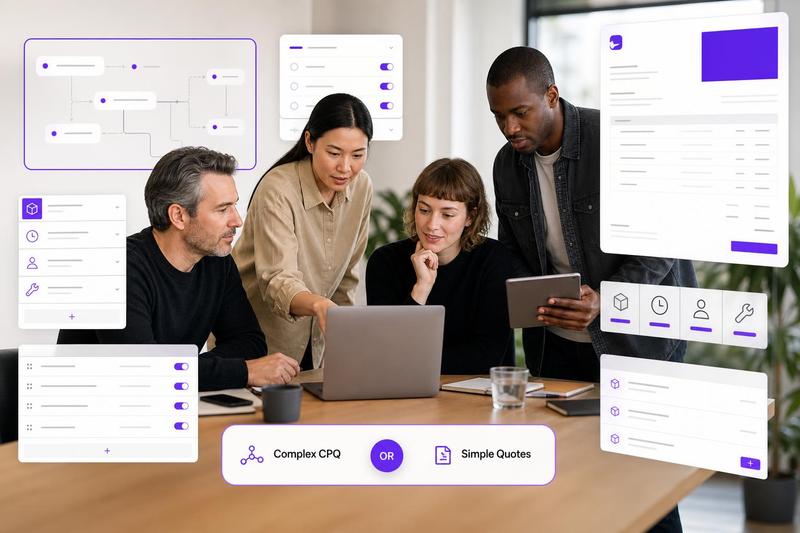
A client quote does two jobs at once: it explains the work and gives the client a clear way to say yes. The format you choose matters because a messy approval step can slow down an otherwise good opportunity. For small service businesses, the practical question is not “PDF or portal?” It is “What is the simplest approval flow that gives the client confidence and gives you a reliable record?”
Most agencies, consultants, designers, developers, studios, and contractors do not need a heavyweight proposal suite for every quote. A clean branded PDF, a simple online approval link, or a lightweight quote portal can all work. The right choice depends on project value, revision risk, payment timing, and how much proof you need after the client accepts.
What a PDF quote does well
A PDF quote is familiar, portable, and easy for clients to forward internally. It is especially useful when the buyer needs to share pricing with a partner, finance contact, property owner, or manager before approving. A well-structured PDF can also feel more polished than a plain email attachment if it includes your logo, contact details, scope, line items, payment schedule, terms, expiry date, and next step.
PDF quotes work best when the project is straightforward and the client approval process is simple. For example, a freelance designer quoting a fixed brand refresh, a contractor pricing a small repair, or a consultant sending a one-off advisory package may only need a professional document and a clear reply instruction.
The risk is that PDFs can create approval ambiguity. Did the client approve the original version or the revised one? Did they approve the full scope or only the price? Did they agree to the deposit trigger and expiry date? If you rely on PDFs, make the document itself very clear. This guide to branded quote PDFs is a useful starting point for keeping the presentation professional without making the quote harder to read.
What a client quote portal does well
A client quote portal or online approval page gives the buyer a single place to review the quote, accept it, and sometimes trigger the next step. That next step might be a deposit invoice, a signed copy, an onboarding form, or a project kickoff checklist. The advantage is clarity: the client is not guessing whether to reply, print, sign, scan, or forward.
A portal is most useful when the approval step needs a record. That might include timestamped acceptance, checkbox wording, signer details, version history, or a saved copy of the approved quote. External e-signature guidance often emphasizes a frictionless experience, multi-device access, security, and proper recordkeeping, as outlined in these electronic signature best practices.
Portals can also help when the quote connects to onboarding. For example, a client might approve a website quote and then move into a kickoff questionnaire, file upload, or contract step. This article on customer onboarding with electronic signatures shows how acceptance can fit into a broader client workflow after the commercial decision is made.
The real tradeoff: convenience vs control
A PDF quote is convenient because almost everyone understands it. A portal gives you more control because the acceptance action can be structured. The mistake is assuming that one is always better. For many small businesses, the strongest workflow is a hybrid: create a polished quote, let the client review it online, and keep a branded PDF copy for sharing and records.
Ququ is designed around that kind of practical workflow. You can build reusable quote templates, pull in saved products or services, include internal costs without exposing every margin detail, export a branded PDF, and edit from mobile when you need to quote quickly. Instead of turning every quote into a complex sales proposal, the goal is to keep approval simple and client-ready.
Use a PDF quote when...
- The project is low-risk, repeatable, or already well understood.
- The client mainly needs a document they can review or forward.
- You have one decision-maker and a simple yes-or-no approval path.
- The quote does not require complex legal acceptance or multiple approvers.
- You are comfortable saving the final PDF and email approval as your record.
Use an online approval link or portal when...
- The quote has multiple versions and you need to know which one was approved.
- The project includes deposits, milestones, exclusions, or important conditions.
- The client may approve from a phone or needs a low-friction acceptance button.
- You need a clearer audit trail than a casual email reply.
- Acceptance should trigger the next step, such as invoicing, onboarding, or scheduling.
A simple decision checklist
Before choosing the format, answer these questions. If most answers are “yes,” use a more structured online approval flow. If most are “no,” a clean PDF may be enough.
- Is the quote value high enough that approval proof matters?
- Could scope, exclusions, or assumptions be disputed later?
- Will the client approve from a phone?
- Are there multiple quote versions?
- Does approval trigger a deposit, purchase order, or project start date?
- Do you need to store the approved copy for your team or accountant?
What to include in either format
Whether you send a PDF or use a portal, the quote should make the buying decision easy. Include a short summary of the outcome, itemized services or packages, price, taxes if relevant, payment schedule, validity date, exclusions, assumptions, and the exact approval step. If the client has to ask “what do I do next?” the quote is not finished.
For acceptance language, keep it direct. For example: By approving this quote, you confirm that you accept the scope, price, payment schedule, exclusions, and terms shown in Quote Q-1042. Work will begin after the required deposit is received. If you need more examples, read this guide to digital quote acceptance wording and approval trails.
Examples by business type
Small agency
An agency quoting a three-month marketing campaign should use a structured approval flow. The quote may include deliverables, timelines, monthly fees, ad budget assumptions, reporting boundaries, and revision rules. A portal or approval link helps confirm that the client accepted the exact package and payment schedule.
Freelance designer
A designer quoting a logo refresh may be fine with a branded PDF if the scope is simple. But if there are package options, add-ons, or revision limits, an online approval step reduces confusion and makes it easier to lock the selected option.
Contractor or tradesperson
A contractor quoting work onsite benefits from mobile quoting and a clear acceptance record. A PDF is useful for the client’s files, but a digital approval step can help confirm materials, allowances, deposit terms, and the expiry date before the job is scheduled.
Consultant
A consultant selling a fixed diagnostic package can usually keep the quote lightweight. A PDF plus a clear approval instruction may be enough. For larger engagements with phases, workshops, travel, or monthly retainers, a portal-style approval flow gives both sides a cleaner record.
The practical answer
Use the simplest quote format that protects the decision. If the quote is routine, low-risk, and easy to understand, a polished PDF can be perfect. If the quote has revisions, deposits, approvals, or important conditions, add a digital approval step so the client’s “yes” is clear.
For many small service businesses, the best setup is not a complicated proposal platform. It is a repeatable quoting system: reusable templates, saved products and services, clean pricing, hidden internal costs where needed, branded PDFs, and a clear client approval step. Ququ keeps that workflow focused, mobile-friendly, and predictable at $5/month flat pricing, so you can create quotes faster without turning your sales process into a software project.